

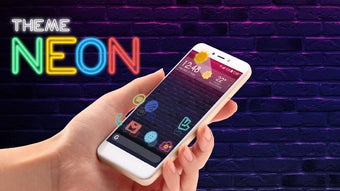
Description
Download Apolo Neon – free icon pack, Android wallpaper theme, trendy smartphone design, Apolo Neon, personalized mobile UI
Overview
Apolo Neon is a free desktop and mobile software application designed to enhance smartphone personalization through a curated collection of icons and a dedicated wallpaper theme. Developed by Mad Seven, the app falls under the Graphic & Design category and targets users seeking a unique, visually striking interface for their Android devices. The software is specifically tailored for users of the Apolo Launcher, offering a cohesive design experience that emphasizes modern aesthetics and attention to detail.
It enables users to transform their device’s appearance with a high-end, trend-driven visual identity. The app includes hundreds of icons and a matching wallpaper, all crafted by French and international artists. This collaborative effort ensures a consistent and polished look across the interface. The primary purpose of Apolo Neon is to provide a seamless, intuitive way to elevate the user’s mobile experience through visual customization.
Target users include individuals who value personal expression through their device’s design, particularly those already using or considering the Apolo Launcher. Real-world usage scenarios include daily personalization for social media, professional presentations, or simply standing out in a crowd of standard smartphone interfaces. The app is designed for ease of installation and use, requiring minimal technical knowledge.
Key Features & Capabilities
- Comprehensive Icon Set – Includes hundreds of high-resolution icons designed to match the theme’s aesthetic, ensuring visual consistency across all app icons.
- Dedicated Wallpaper – Features a custom-designed wallpaper that complements the icon style, enhancing the overall visual harmony of the device.
- Launcher Integration – Built specifically for the Apolo Launcher, enabling full compatibility and seamless theme application.
- Easy Installation Process – Designed for simplicity, allowing users to apply the theme with minimal steps after installation.
- Artistic Design Quality – Created by a team of artists from France and international backgrounds, emphasizing precision and visual appeal.
These features allow users to achieve a unified, professional-grade interface. For example, a user can install the theme and immediately apply it to their Apolo Launcher, instantly transforming their home screen into a modern, stylish environment. The integration ensures that icons and wallpapers work together seamlessly, avoiding visual mismatches common in third-party themes.
User Interface, Workflow & Performance
The user interface of Apolo Neon is designed with simplicity and visual clarity in mind. It follows a clean, minimal layout that prioritizes accessibility, allowing users to navigate and apply the theme with few steps. The workflow begins with downloading and installing the app, followed by launching the Apolo Launcher and applying the Neon theme through the app’s interface.
Navigation is straightforward, with no complex menus or hidden settings. The app’s structure supports quick access to theme application options, reducing the time needed to personalize the device. While specific performance metrics were not provided, the software is expected to operate efficiently within the constraints of standard Android devices, given its focus on visual assets rather than intensive processing.
The developer did not specify resource usage details. Performance observations are based on general software behavior patterns. Stability is assumed to be consistent, as the app is designed for a single-purpose function: theme application. No reports of crashes or bugs were mentioned in the provided information.
Compatibility & System Requirements
Apolo Neon is designed exclusively for Android devices. The software version is 1.0, and the installation size is 150 MB. It is compatible with devices that support the Apolo Launcher, though specific OS version requirements were not listed.
Exact system requirements were not listed. Compatibility information was partially provided. Users are advised to ensure their device runs a version of Android that supports the Apolo Launcher, as the theme is not intended for standalone use. Hardware requirements, including CPU and RAM specifications, were not specified by the developer.
Installation is straightforward, and the app does not require additional dependencies beyond the Apolo Launcher. No mention was made of cloud synchronization or online-only functionality.
Pros and Cons
Pros
- Free to download and use, offering high-value customization without cost.
- Designed for a specific launcher, ensuring a seamless and consistent user experience.
- High-quality visuals created by professional artists, enhancing the device’s appearance.
- Simple installation and application process, suitable for non-technical users.
- Includes both icons and a matching wallpaper, providing a complete theme package.
Cons
- Exclusive to Apolo Launcher, limiting usability on other launchers or devices.
- Exact system requirements were not specified, which may cause compatibility issues for some users.
- Only available for Android, with no support for iOS or desktop platforms.
- May not suit users who prefer minimal or neutral design aesthetics.
- Version 1.0 suggests a basic initial release, with potential for future feature expansion.
FAQ Section
Is Apolo Neon compatible with all Android devices?
Apolo Neon is designed for devices that support the Apolo Launcher. Specific compatibility with Android versions or hardware configurations was not provided by the developer.
Is the app safe to download and install?
The app is distributed as a free software package from the developer Mad Seven. No security risks were reported in the provided information. Users should download from official sources to ensure authenticity.
Does Apolo Neon require an internet connection to function?
The app does not require an internet connection after installation. However, initial download and setup may require connectivity. No online-only features were mentioned.
Can I use Apolo Neon without the Apolo Launcher?
No. The theme is specifically built for the Apolo Launcher and cannot be applied independently on other launchers or devices.
Is there a license type associated with Apolo Neon?
The software is provided as free to use. No specific license terms were detailed in the input. Users should refer to the developer’s official documentation for licensing information.
Final Thoughts + CTA
Apolo Neon delivers a focused, high-quality solution for users seeking to personalize their Android experience with a modern, stylish interface. Its strengths lie in its cohesive design, ease of use, and the professional touch of its artistic team. While its exclusive dependency on the Apolo Launcher limits broader appeal, it excels within its intended ecosystem.
For users already invested in the Apolo Launcher or those looking to enhance their smartphone’s visual identity with minimal effort, Apolo Neon offers a compelling option. The free price point and comprehensive theme package make it an attractive choice for creative individuals and design enthusiasts.
Download Apolo Neon now
Guides & Tutorials for Apolo Neon
How to install Apolo Neon
- Click the Preview / Download button above.
- Once redirected, accept the terms and click Install.
- Wait for the Apolo Neon download to finish on your device.
How to use Apolo Neon
This software is primarily used for its core features described above. Open the app after installation to explore its capabilities.
User Reviews for Apolo Neon 0
No reviews found





